
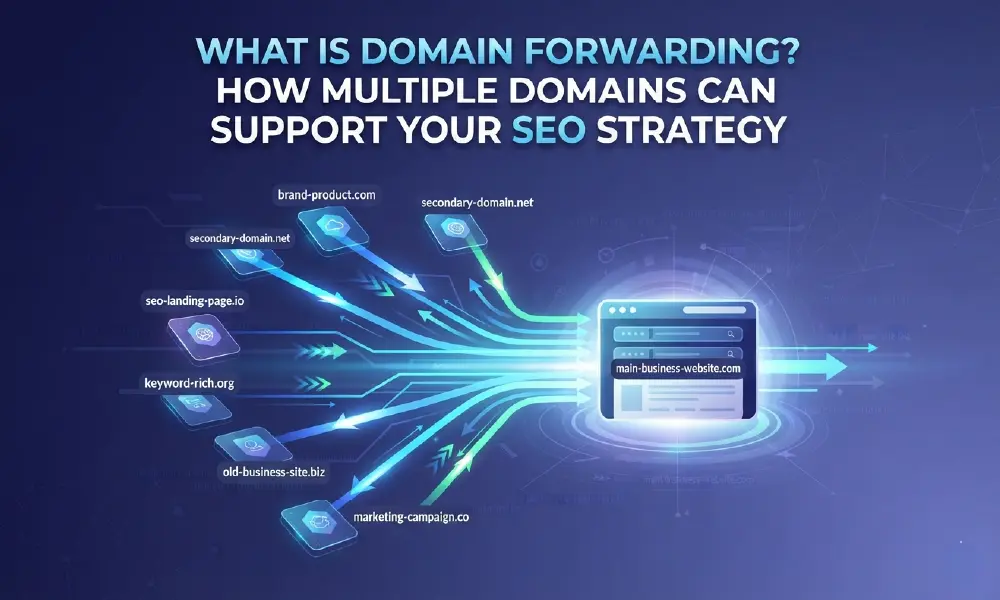
A business may own several domain names, but that does not mean it needs several websites.
Domain forwarding automatically redirects visitors from one domain name to another domain or webpage. Businesses commonly use it to consolidate multiple domains, protect their brands, create memorable campaign URLs, and support website migrations.
When implemented correctly, domain forwarding can also support SEO.
However, there is an important distinction:
Registering or forwarding more domains does not automatically improve Google rankings.
The SEO value comes from using redirects correctly to establish a clear primary website, consolidate signals, and help search engines understand when content has permanently moved.
Let’s break this down simply.
What Is Domain Forwarding?
Domain forwarding, also known as domain redirection, is a method of automatically sending visitors from one domain or URL to another destination.
For example:
yourbrand.net
↓
yourbrand.com
A visitor entering yourbrand.net is automatically redirected to the company’s main website at yourbrand.com.
This means a business can own several strategically important domains without building and maintaining a separate website for each one.
Domain forwarding is commonly used for:
- Alternative domain extensions
- Brand protection
- Website migrations
- Rebranding
- International domain portfolios
- Marketing campaigns
- Common domain variations
For businesses managing a growing digital presence, forwarding provides a practical way to keep multiple domains connected to one central destination.

Why Do Businesses Own More Than One Domain Name?
Businesses often register multiple domains because a domain name is more than a website address. It can represent a brand, product, market, campaign, or digital asset.
Here are some of the most common reasons.
1. Protect Your Brand Online
Imagine a business owns:
example.com
Other parties may still be able to register:
- example.net
- example.org
- example.co
- example.my
- example.com.my
Depending on the brand and market, securing strategically important variations can reduce opportunities for cybersquatting, impersonation, and customer confusion.
The additional domains can then be forwarded to the official website.
This creates a simple journey:
example.my → example.com
Customers reach the right website while the company maintains control of important domains associated with its brand.
However, businesses do not necessarily need to register every possible extension. Domain portfolios should prioritise names based on brand risk, target markets and business value.
2. Reach Customers in Different Markets
Businesses expanding internationally may register country-code top-level domains (ccTLDs) associated with their key markets.
For example:
brand.me
brand.my
brand.sg
brand.tw
A local domain can support a company’s regional digital strategy and provide customers with a domain that is relevant to their market.
However, simply forwarding a ccTLD to a global website does not automatically provide the same international SEO benefit as maintaining properly localised content.
If organic search visibility in a specific country is an important objective, businesses should consider their wider international SEO strategy, including localisation, site structure and market-specific content.
This is an important distinction when deciding whether to forward a local domain or build a dedicated local experience.
3. Support Marketing Campaigns
Long landing-page URLs are not always practical for offline campaigns.
Imagine promoting:
yourbrand.com/products/business/special-offer-2026
on an exhibition booth or printed advertisement.
Instead, a company could register a shorter campaign domain and forward visitors directly to the landing page.
For example:
brandpromo.com
↓
yourbrand.com/special-offer
The shorter domain can be easier to remember and communicate across:
- Events
- Billboards
- Printed materials
- QR campaigns
- Videos
- Presentations
The campaign domain itself does not provide an automatic SEO boost. Its main advantage is marketing convenience and customer experience, while the main website remains the central content destination.
Does Domain Forwarding Help SEO?
Yes, domain forwarding can support SEO when implemented correctly, particularly when consolidating domains or migrating a website. However, forwarding additional domains to a website does not automatically increase search rankings.
This distinction matters.
The SEO benefits generally come from the redirect strategy, rather than simply owning additional domains.
Here are the main ways forwarding can support SEO.
1. Consolidate Multiple Domains Into One Primary Website
Running similar websites across multiple domains can divide attention between different versions of the same business.
Instead, businesses can select one primary domain and redirect appropriate secondary domains to it.
For example:
yourbrand.net
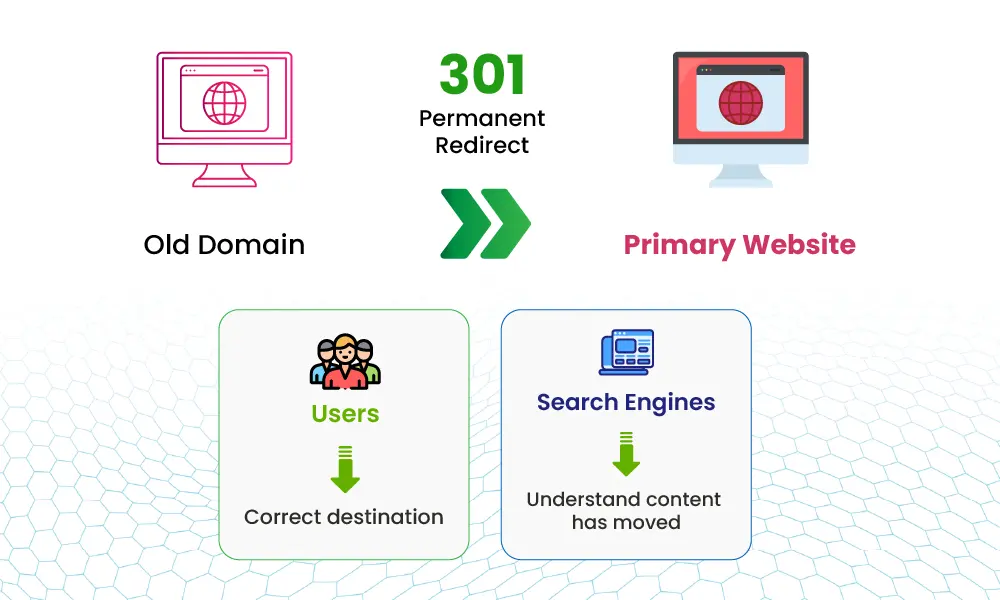
↓ 301 redirect
yourbrand.com
This gives visitors and search engines a clear primary destination.
The objective is not to make every domain rank independently.
It is to establish one authoritative website while using other domains strategically.
2. Support SEO During a Website Migration
Domain forwarding becomes particularly important when a company changes its primary domain.
For example, imagine a business has operated for years using:
oldbrand.com
The company then rebrands and moves to:
newbrand.com
The old website may already have:
- Search engine rankings
- Indexed pages
- External backlinks
- Referral traffic
- Bookmarked URLs
Simply shutting down oldbrand.com could result in users encountering broken pages and search engines losing a clear connection between the old and new content.
Instead, relevant old URLs should be redirected to their corresponding new URLs.
For example:
oldbrand.com/services
↓ 301
newbrand.com/services
Not simply:
oldbrand.com/services
↓
newbrand.com
Page-to-page redirects give users a more relevant destination and help search engines understand where individual content has moved.
3. Maintain a Consistent Brand Destination
Customers do not always remember a company’s exact domain.
They may type a different extension or use an older domain associated with the company.
Strategically forwarding these domains to the official website helps create a consistent destination.
For example:
yourbrand.net → yourbrand.com
yourbrand.my → yourbrand.com
This is primarily a brand protection and customer experience benefit, rather than a direct ranking factor.
But keeping users and search engines pointed towards one official website supports a cleaner overall web presence.
4. Reduce Problems During Rebranding
Rebranding can be complicated from an SEO perspective because the business is changing an address that search engines and customers may have known for years.
A carefully planned redirect strategy connects the old digital presence with the new one.
Businesses should ideally map important old URLs to the most relevant new URLs instead of forwarding everything to the homepage.
For example:
|
Old URL
|
Recommended Destination
|
|---|---|
|
oldbrand.com
|
newbrand.com
|
|
oldbrand.com/about
|
newbrand.com/about
|
|
oldbrand.com/products
|
newbrand.com/products
|
|
newbrand.com/contact
|
newbrand.com/contact
|
This also provides a much better experience for customers following old links.
301 vs 302 Redirect: What's the Difference?
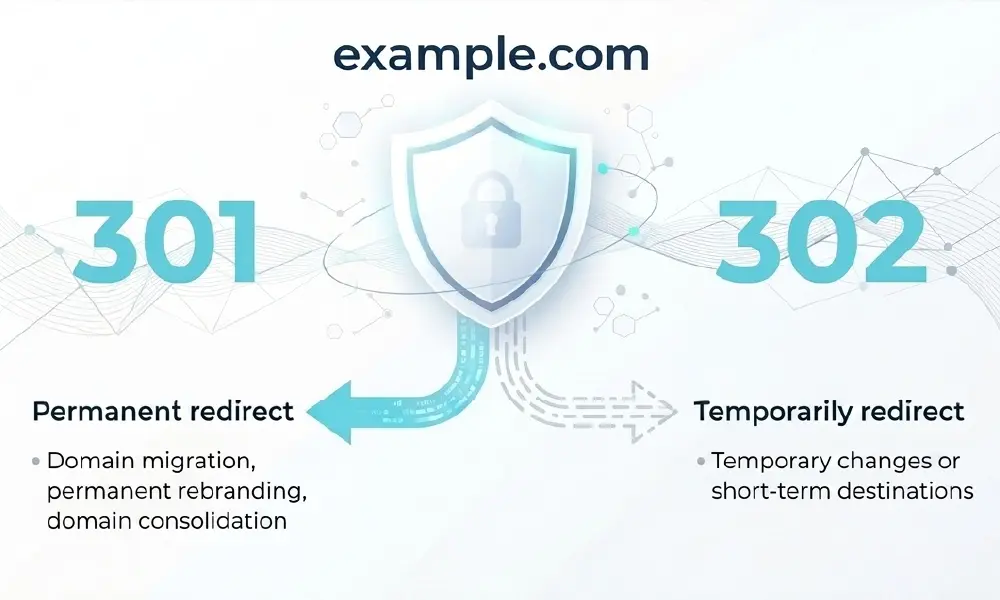
One of the most important decisions in domain forwarding is whether the redirect is permanent or temporary.
|
Redirect
|
Meaning
|
Common Use
|
|---|---|---|
|
301
|
Permanent redirect
|
Domain migration, permanent rebranding, domain consolidation
|
|
302
|
Temporary redirect
|
Temporary changes or short-term destinations
|
What Is a 301 Redirect?
A 301 redirect tells browsers and search engines that a URL has permanently moved to another location. It is generally the appropriate choice when a business permanently moves from one domain to another or permanently consolidates alternative domains into its primary domain.
What Is a 302 Redirect?
A 302 redirect indicates that the change is temporary. It is more appropriate when the original URL is expected to return or when the destination is only temporary. The correct redirect should reflect the actual purpose of the change rather than being selected purely for SEO.
Does Buying Multiple Domains Improve SEO?
No. Simply buying multiple domain names does not improve a website’s SEO rankings.
This is an important misconception.
Registering ten domains and forwarding all ten to the same website does not automatically make that website ten times more authoritative.
Multiple domains provide value when they serve a clear business purpose, such as:
- Protecting important brand names
- Capturing relevant domain variations
- Supporting regional expansion
- Simplifying marketing campaigns
- Preparing for future products
- Supporting a rebrand or domain migration
Think of multiple domains as part of a broader digital asset strategy, rather than an SEO shortcut.
When Should a Business Use Domain Forwarding?
Domain forwarding is particularly useful when a business wants to maintain one main website while controlling several strategically important domain names.
A simple decision framework is:
|
Business Situation
|
Domain Forwarding?
|
|---|---|
|
Protecting alternative brand domains
|
✓ Often useful
|
|
Moving permanently to a new domain
|
✓ Use appropriate permanent redirects
|
|
Short marketing URL
|
✓ Useful
|
|
Redirecting an old brand after rebranding
|
✓ Recommended
|
|
Building unique local content for another country
|
Consider a dedicated localisation strategy
|
|
Buying domains purely to increase rankings
|
✕ Not an SEO strategy
|
Domain Forwarding Best Practices for SEO
If domain forwarding forms part of an SEO or migration strategy, implementation matters.
Businesses should:
- Choose one clear primary domain. Avoid creating unnecessary competing versions of the same website.
- Use permanent redirects for permanent moves. A 301 is generally appropriate when a domain or URL has permanently moved.
- Redirect users to the most relevant page. Avoid sending every old URL to the homepage.
- Keep redirects simple. Avoid unnecessary redirect chains such as Domain A → Domain B → Domain C.
- Update important internal links. After a migration, internal links should point directly to the new URLs instead of relying indefinitely on redirects.
- Maintain HTTPS. Both the forwarding setup and destination should be securely configured.
- Monitor the migration. Check for broken links, redirect errors, indexing issues and unexpected traffic changes.
- Keep important old domains registered. Allowing an old brand domain to expire after migration can create brand and customer risks.
Domain Forwarding vs Domain Parking: What's the Difference?
These terms are sometimes confused.
Domain forwarding sends visitors from one domain to another destination.
Domain parking generally means keeping a registered domain without using it as a full standalone website.
A parked domain may display a holding page, while a forwarded domain actively sends the visitor somewhere else.
For businesses securing defensive domains, forwarding may provide a more useful customer experience because visitors are directed to the official website.
A Multi-Domain Strategy Is More Than an SEO Strategy
The strongest domain portfolios are not built purely around search rankings.
They support the wider business.
A well-planned domain portfolio can help organisations:
- Protect their brand
- Reduce opportunities for impersonation
- Support international expansion
- Create memorable marketing campaigns
- Maintain customer trust
- Prepare for rebranding
- Preserve continuity during website migrations
- Protect important digital assets for future growth
Every domain should have a purpose.
Some may host websites. Some may protect brands. Others may support campaigns or redirect customers to the right destination.
The important thing is managing them as part of one coherent digital strategy.
Frequently Asked Questions About Domain Forwarding
Domain forwarding automatically redirects visitors from one domain or URL to another destination. Businesses commonly use it for brand protection, alternative domains, campaigns and website migrations.
Domain forwarding can support SEO when redirects are implemented correctly, particularly during website migrations and domain consolidation. Simply forwarding additional domains to a website does not automatically improve rankings.
No. Owning additional domains is not, by itself, an SEO ranking strategy. Multiple domains are more useful for brand protection, campaigns, market expansion and securing important digital assets.
Use a 301 when a URL or domain has permanently moved. A 302 is generally used when the change is temporary.
Yes. Businesses can forward several domains to one primary website. This is commonly used for alternative domain extensions, brand protection and marketing purposes.
Generally, no. During a website migration, old URLs should be redirected to the most relevant equivalent new pages wherever possible.
Build a Stronger Domain Strategy with WebNIC
A strong domain strategy is not about registering as many domains as possible.
It’s about owning the right domains and knowing what to do with them.
Businesses should identify the domains that protect their brands, support important markets and campaigns, and strengthen their long-term digital presence.
Domain forwarding can then connect those digital assets to the right destinations without requiring a separate website for every domain.
With WebNIC, businesses and resellers can access a broad range of domain extensions and domain management capabilities to build and manage domain portfolios more effectively.
Explore WebNIC’s domain solutions and secure the names that matter to your business.