
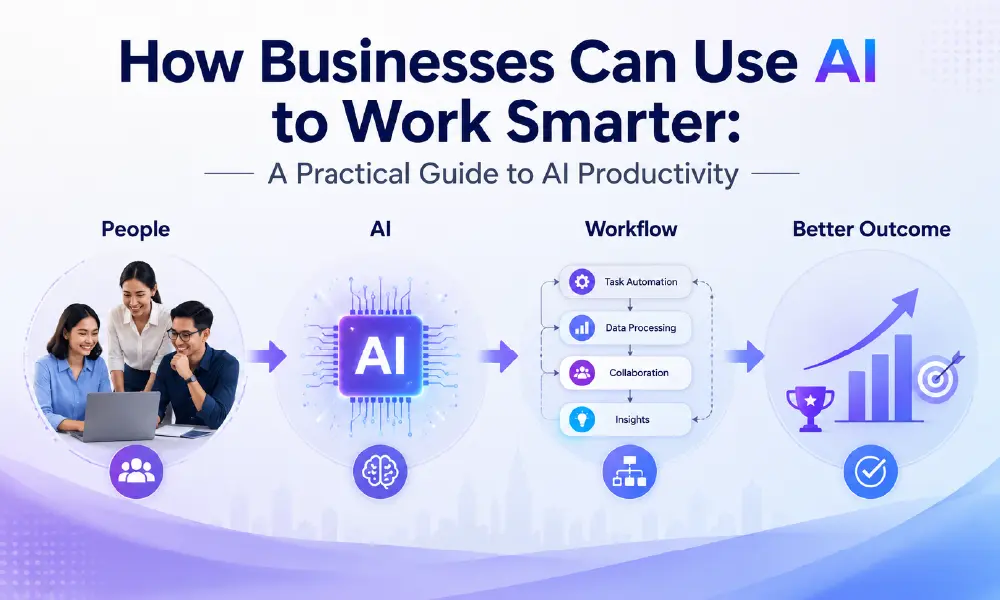
Artificial intelligence has made it much easier to write, research, analyse information, create content and automate repetitive tasks.
But here’s the problem.
Many businesses are approaching AI backwards.
They start by asking:
“Which AI tool should we use?”
That is usually the wrong first question.
A better question is:
“Which part of our work is taking too much time, and why?”
Because buying another AI subscription doesn’t automatically make a business more productive.
If your team has inefficient processes, unclear responsibilities or information scattered across different systems, adding AI may simply make the existing problem more complicated.
The real opportunity is to use AI where it can remove unnecessary work, speed up decisions and give people more time to focus on work that actually requires human judgement.
AI Productivity Is Not About Doing More Work
There is a common misconception that productivity means completing more tasks.
It doesn’t.
A marketing team that produces 50 social media posts instead of 20 isn’t necessarily more productive.
A sales team that sends 500 more emails isn’t necessarily selling better.
And an employee who attends six meetings instead of four hasn’t necessarily become more efficient.
Good productivity is about creating better outcomes with less unnecessary effort.
That means AI should not be measured simply by:
- How many words it generates
- How many emails it writes
- How many tasks it completes
Instead, businesses should ask:
- Did it save meaningful time?
- Did it reduce repetitive work?
- Did it improve the quality of the output?
- Did it help people make better decisions?
- Did it reduce errors?
- Did it allow employees to focus on higher-value work?
That is a much better way to measure AI productivity.
Start With the Work, Not the AI Tool
Before introducing AI, look at what your team actually does every day.
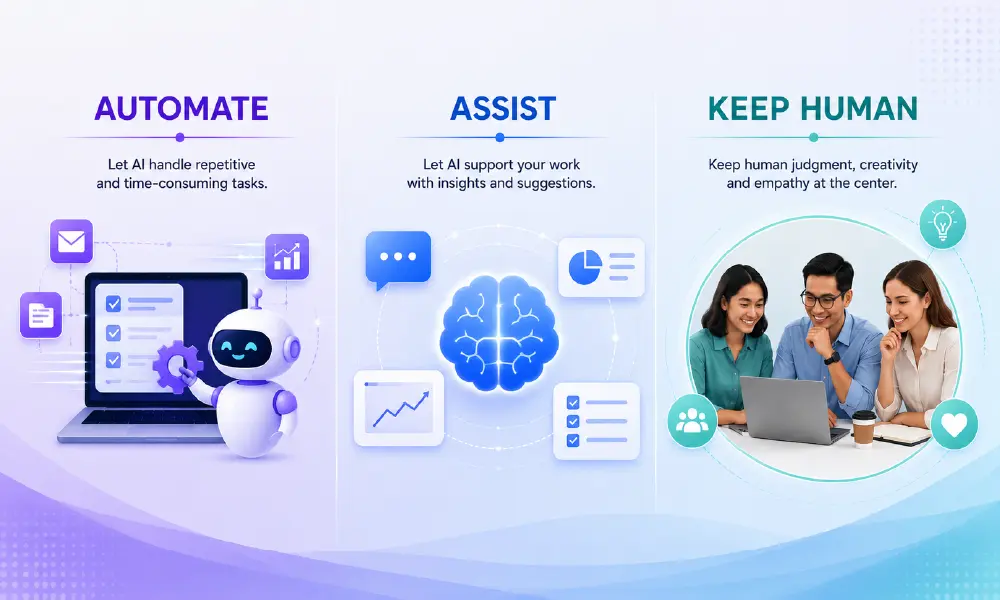
You will probably find three types of work.
1. Work that should be automated
These are repetitive tasks with predictable outcomes.
Examples:
- Moving information between systems
- Sending routine notifications
- Sorting enquiries
- Creating recurring reports
- Updating records
- Processing standard requests
This is where automation can create significant efficiency.
2. Work that AI can assist with
These tasks still require human involvement, but AI can make them faster.
Examples:
- Research
- First drafts
- Summarising long documents
- Meeting notes
- Data analysis
- Brainstorming
- Comparing information
- Translating content
- Preparing presentations
The human remains responsible for the final decision.
AI simply reduces the amount of manual work required to get there.
3. Work that should remain human-led
Some activities should not be handed over to AI simply because AI can technically perform them.
For example:
- Strategic decisions
- Sensitive customer conversations
- Negotiations
- Leadership decisions
- Brand positioning
- Complex problem solving
- Relationship building
These require context, judgement, experience and accountability.
The goal isn’t to remove people from the process. It’s to remove unnecessary work from people.
Where AI Can Create the Most Value
1. Too Much Time Spent on Research
Research is one of the easiest areas for AI to assist with.
A professional may spend hours:
- Reading reports
- Comparing competitors
- Summarising documents
- Searching for market information
- Collecting customer insights
AI can help turn large amounts of information into a more manageable starting point.
For example, instead of asking:
“Write me a competitor analysis.”
A better workflow is:
Gather the competitor information → ask AI to identify patterns → verify the important facts → apply your own business judgement.
That last step matters.
AI can accelerate analysis. It doesn’t automatically make the analysis correct.
This is particularly important when information is incomplete, outdated or generated without reliable sources.
2. Content Takes Too Long to Produce
Marketing teams often spend significant time moving from:
Idea → Research → Outline → Draft → Edit → Repurpose → Publish
AI can help shorten this process.
For example, one research report could become:
1 source
↓
Blog article
↓
LinkedIn post
↓
Social carousel
↓
Email newsletter
↓
Sales talking points
↓
FAQ content
The value isn’t simply that AI writes faster.
The real productivity gain comes from reusing knowledge more effectively.
This is where businesses should focus.
Don’t ask AI to create more content just because it can.
Ask:
How can we get more value from the content and knowledge we already have?
3. Meetings Are Creating More Work
A meeting doesn’t end when the meeting ends.
Someone still needs to:
- Write notes
- Identify decisions
- Assign tasks
- Follow up
- Update project information
AI meeting assistants can reduce some of this administrative work by summarising conversations and identifying action items.
But businesses should be careful here.
A summary is not the same as understanding.
Someone should still review important decisions, especially when meetings involve customers, contracts, security or financial commitments.
4. Employees Keep Searching for the Same Information
Another hidden productivity problem is knowledge retrieval.
Someone asks:
“Where is the latest product pricing?”
Another person asks:
“What did we promise this customer?”
Someone else asks:
“Do we have the latest campaign brief?”
The information may already exist.
The problem is finding it.
AI can help organisations search, summarise and retrieve information from their existing knowledge base.
This can be more valuable than simply generating new content.
Sometimes the biggest productivity problem isn’t creating information. It’s finding information that already exists.
5. Repetitive Customer and Sales Tasks
Sales and customer teams often spend time on predictable activities:
- Qualifying enquiries
- Preparing follow-up emails
- Summarising customer conversations
- Updating CRM records
- Creating proposals
- Answering common questions
AI and workflow automation can reduce some of this administrative burden.
But customer-facing AI should have boundaries.
A customer asking a simple question may be perfectly suited to automation.
A customer dealing with a sensitive business problem may need a human.
The best customer experience isn’t necessarily the most automated one.
6. Marketing Teams Can Use AI as a Thinking Partner
This is an area where AI is particularly interesting.
Instead of using AI only to generate copy, marketers can use it to challenge their thinking.
For example:
“What objections might an enterprise buyer have about this product?”
“What would make this campaign message less credible?”
“What questions would an IT manager ask before buying this solution?”
“What information is missing from this landing page?”
This changes the role of AI.
It becomes less of a content generator and more of a thinking partner.
The marketer still makes the final decision.
But AI can provide additional perspectives that help uncover gaps.
The Biggest Mistake: Adding AI Without Fixing the Process
This is where many organisations can go wrong.
Imagine a company has:
- Five disconnected systems
- Poor data quality
- No clear approval process
- Duplicate information
- Unclear ownership
Then the company adds AI.
The AI may work perfectly.
But the process is still broken.
AI cannot fix every operational problem.
Sometimes the better solution is:
Simplify the process → remove unnecessary steps → standardise information → then introduce AI.
This is why AI adoption should start with process mapping, not tool selection.
How to Decide Where AI Should Be Used
A simple framework can help.
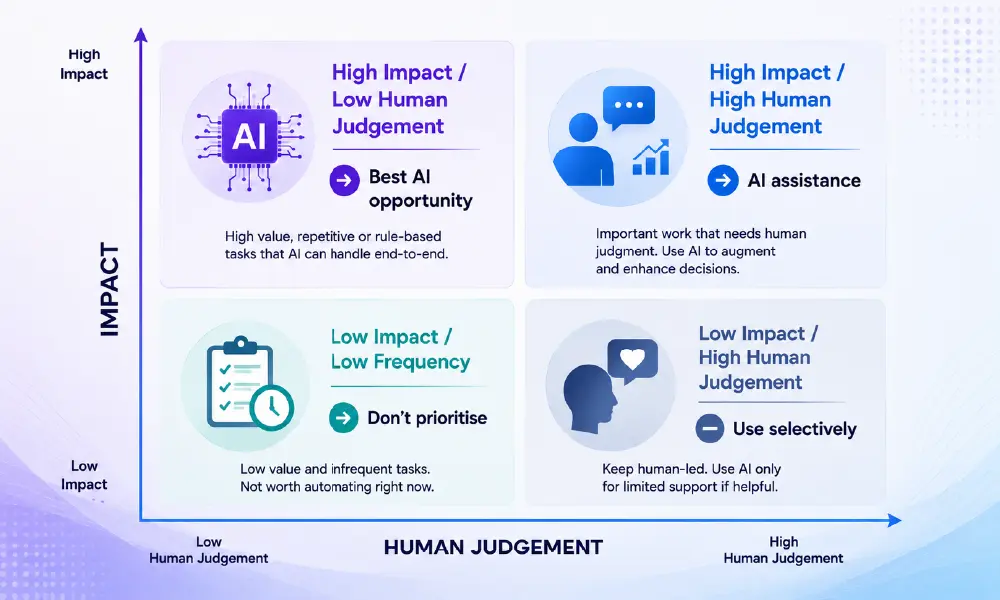
Score each repetitive task based on:
Time spent
How many hours does the team spend on it?
Frequency
Does it happen daily, weekly or occasionally?
Repetitiveness
Does the process follow a predictable pattern?
Business impact
What happens if the task is delayed or done incorrectly?
Human judgement
Does the task require experience, empathy or strategic thinking?
The best AI opportunities are usually tasks that are:
High frequency + repetitive + time-consuming + low need for human judgement
Those should be your starting point.
A Practical AI Adoption Framework
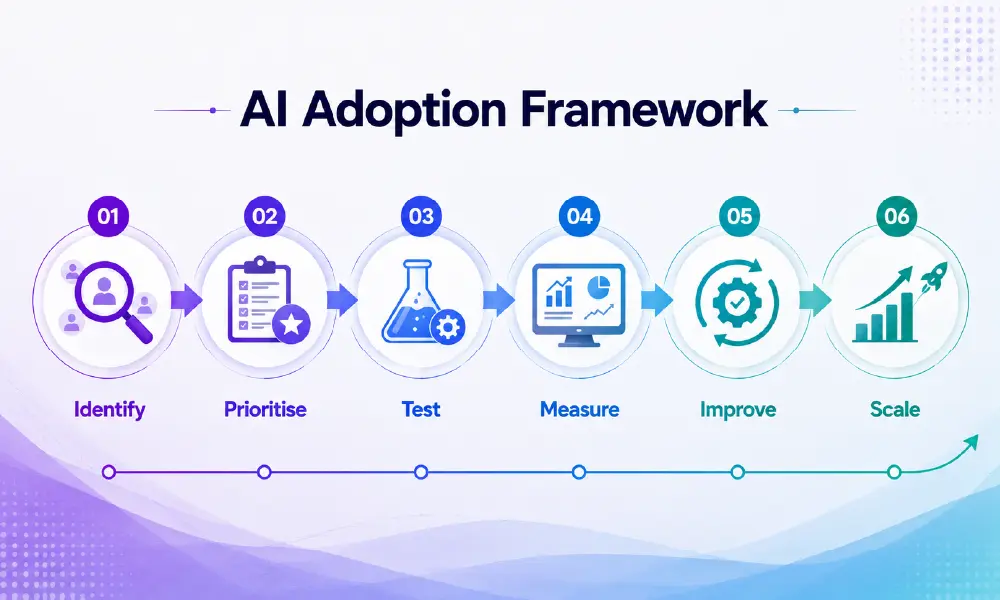
Businesses don’t need to transform everything at once.
Start small.
Step 1 — Identify
Find the repetitive tasks consuming the most time.
Step 2 — Prioritise
Choose one or two high-impact workflows.
Step 3 — Test
Run a small pilot with a clear objective.
Step 4 — Measure
Compare time, quality, errors and business outcomes before and after AI.
Step 5 — Improve
Adjust the workflow based on what actually works.
Step 6 — Scale
Only expand the solution once the process has proven its value.
This approach is much safer than rolling out AI across the organisation simply because everyone else is doing it.
What Should Businesses Measure?
AI productivity should be measurable.
For example:
| Before AI | After AI |
|---|---|
|
3 hours to prepare report |
45 minutes |
|
2 hours to research topic |
45 minutes |
|
30 minutes per meeting for notes |
5 minutes review |
|
Manual data entry |
Automated workflow |
But time saved isn’t enough.
Also measure:
Quality
Is the output actually better?
Accuracy
Are mistakes increasing?
Employee adoption
Are people actually using it?
Customer impact
Does the customer experience improve?
Cost
Are you saving more than you’re spending?
That gives management a much clearer picture of whether AI is creating real business value.
AI Is a Productivity Layer, Not a Business Strategy
This is probably the most important message in the article.
AI should not become the strategy.
Your business strategy comes first.
AI is simply another capability that can help execute it.
If the business wants to improve customer service, use AI where it improves customer service.
If marketing needs to produce content faster, use AI to improve the content workflow.
If operations needs to reduce manual administration, automate those processes.
Don’t start with:
“We need to use AI.”
Start with:
“We need to solve this business problem.”
Then ask whether AI is actually the best way to solve it.
Sometimes it will be.
Sometimes a better process, better training or better software will solve the problem more effectively.
And that is perfectly fine.
The Future of AI Productivity Isn't More Tools
Businesses don’t need another list of 50 AI applications.
They need better decisions about where AI belongs in their workflow.
The organisations that get the most value from AI won’t necessarily be the ones using the most tools.
They will be the ones that understand:
What should be automated.
What should be assisted by AI.
What should remain human.
That is where meaningful productivity gains begin.
Frequently Asked Questions
AI productivity refers to using artificial intelligence to reduce repetitive work, accelerate tasks, improve access to information and help employees make better decisions.
Businesses can use AI for research, content creation, document analysis, meeting summaries, workflow automation, customer support, knowledge retrieval and other repetitive tasks.
Not necessarily. AI is often most valuable when it assists employees rather than replacing them. Human judgement remains important for strategic decisions, relationships, creativity and complex problem solving.
There is no single best AI tool for every business. The right solution depends on the task, existing technology, data requirements, security needs and business objectives.
Start by identifying repetitive, time-consuming tasks. Choose one high-impact workflow, test AI on a small scale, measure the results and expand only after the approach proves useful.
Measure time saved, output quality, error rates, employee adoption, customer impact and the overall cost of implementing and maintaining the AI solution.