
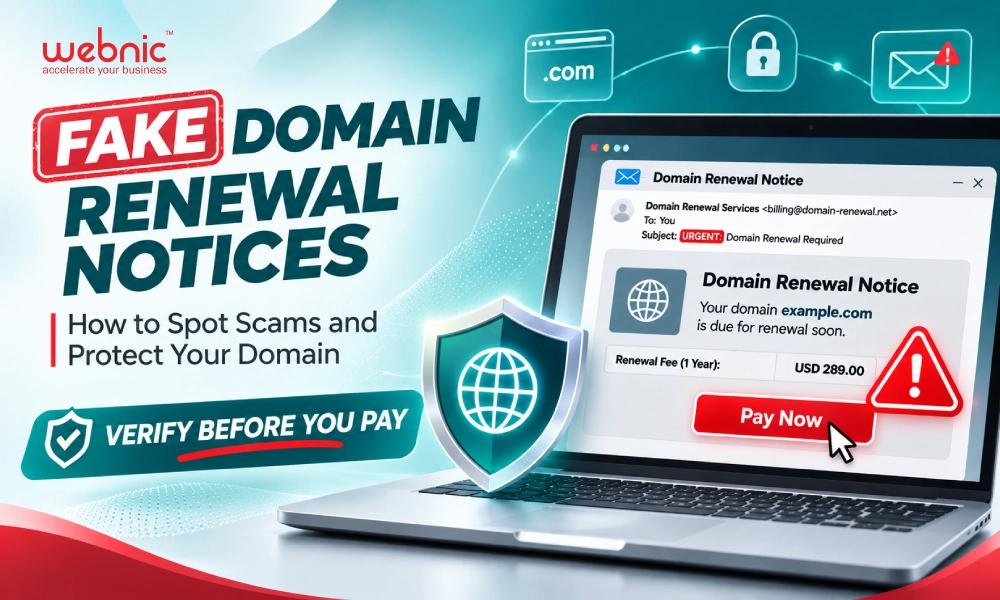
Received an unexpected domain renewal notice? Before making a payment or clicking a link, verify that the request is legitimate.
Your domain name is an important part of your digital identity. It connects customers to your website, supports business email, and helps people find your business online.
However, domain owners may receive fraudulent or misleading renewal notices that appear to come from legitimate domain registrars or service providers.
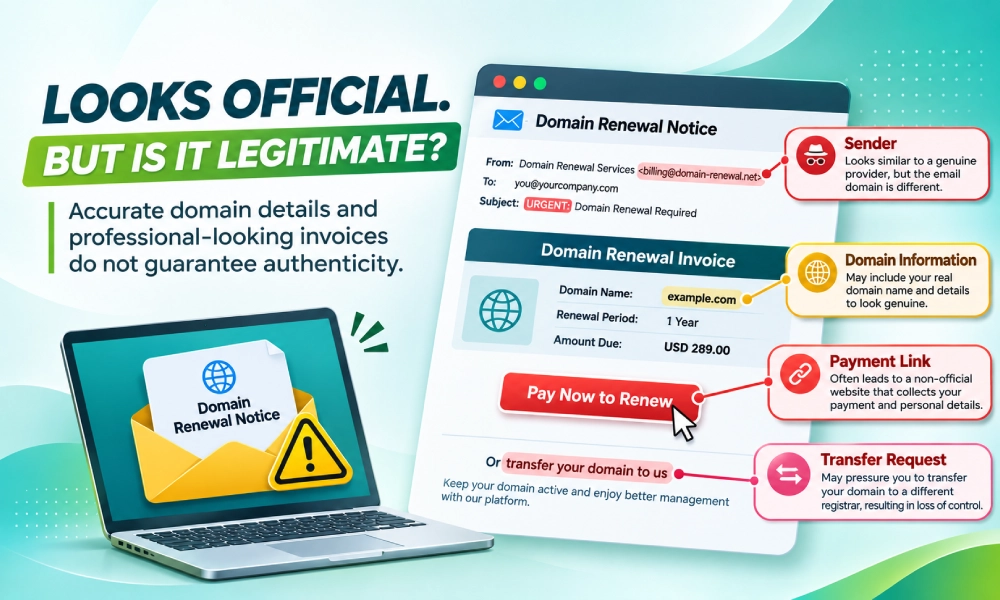
These notices may arrive through email, postal mail, or other communication channels. Some contain accurate domain information, making them appear convincing.
Their purpose may be to trick recipients into paying unnecessary fees, sharing sensitive account information, or transferring domain names to an unfamiliar provider.
The most important rule is simple: Verify before you pay.
Understanding how these notices work can help domain owners avoid costly mistakes and help domain resellers better protect their customers.
1. What Is a Fake Domain Renewal Notice?
A fake domain renewal notice is a fraudulent or misleading communication that presents itself as an official reminder to renew a domain name.
It may resemble an invoice, payment reminder, or urgent expiry notification.
Some messages use phrases such as:
- “Your Domain Is Expiring Soon”
- “Final Domain Renewal Notice”
- “Immediate Payment Required”
- “Your Domain Will Be Suspended”
- “Renew Now to Avoid Losing Your Domain”
These phrases are not automatically evidence of fraud. Legitimate registrars also send renewal reminders and may warn customers about approaching expiry dates.
The warning sign is an unexpected request that cannot be verified through your existing domain service provider.
How Do Scammers Make These Notices Look Legitimate?
Fraudulent notices may include:
- Your registered domain name.
- A domain registration or expiry date.
- A company name resembling a legitimate service provider.
- Professional-looking logos and invoice layouts.
- A payment link or instructions for transferring your domain.
Some domain registration information may be publicly available through registration data lookup services. Therefore, the presence of accurate domain details does not prove that a notice is authentic.
A convincing-looking document should never replace independent verification.
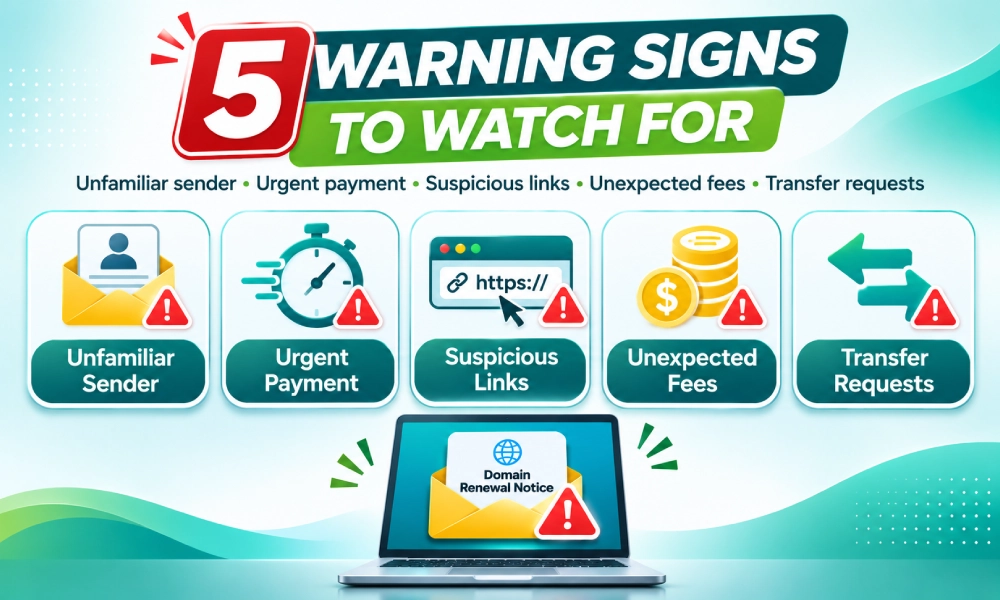
2. Five Warning Signs of a Fake Domain Renewal Notice
Recognising suspicious messages is an important first step in protecting your domain.
Warning Sign 1: The Sender Is Unfamiliar
You receive a renewal reminder from a company you do not recognise.
The sender may claim to be your domain registrar, renewal department, or domain administration service.
What to check:
Confirm whether the sender matches your existing registrar or reseller. Examine the sender’s email address and domain carefully.
Remember that sender names and email addresses can be impersonated.
If you are uncertain, contact your existing provider using contact details obtained independently from its official website or customer portal.
Warning Sign 2: The Notice Creates Unnecessary Urgency
The message may pressure you to act immediately to avoid losing your domain.
For example:
“Final Notice: Pay Within 24 Hours or Your Domain Will Be Cancelled.”
Domain expiry can have genuine consequences, so urgent reminders should not automatically be dismissed.
However, pressure to pay through an unfamiliar channel without verification should raise concern.
What to check:
Log in to your official domain management portal and confirm your actual expiry date and renewal status.
Do not rely solely on the deadline stated in the message.
Warning Sign 3: Suspicious Payment Links or Instructions
A notice may direct you to an unfamiliar website to complete payment.
In some cases, the website may imitate a legitimate registrar’s login or payment page.
What to check:
Avoid using the payment link in a suspicious message.
Instead, open your registrar’s or reseller’s official website directly and sign in through its established customer portal.
Verify whether any renewal payment is actually due.
Warning Sign 4: Unexpected Renewal Fees
Some misleading notices include charges that differ significantly from the fees customers normally pay.
Others may describe optional services as mandatory domain renewal requirements.
What to check:
Compare the amount, service description, renewal term, and provider details with your existing account.
Keep in mind that legitimate renewal fees can change, and different providers may charge different prices.
An unfamiliar fee is a reason to investigate, not automatic proof of fraud.
Warning Sign 5: An Unexpected Domain Transfer Request
A notice may encourage you to transfer your domain to another registrar while presenting the process as a routine renewal requirement.
This can be particularly confusing because legitimate domain transfers and renewals are separate processes, although certain transfers may include an extension of the registration term.
What to check:
Confirm whether you are being asked to renew your domain with your current provider or transfer it to another provider.
You generally do not need to transfer a domain to a different registrar simply to renew it.
Never provide a domain transfer authorisation code, commonly called an EPP or Auth Code, to an unknown party.
3. What Should You Do If You Receive a Suspicious Domain Renewal Notice?
If you receive an unexpected renewal reminder, follow these five steps before taking action.
Step 1: Do Not Make an Immediate Payment
Avoid paying an unfamiliar sender until you have confirmed the request.
Step 2: Check Your Domain’s Actual Renewal Status
Visit your existing domain service provider’s official website directly.
Log in to your domain management account and review:
- Your registered domain name.
- The displayed expiry date.
- Renewal or auto-renewal settings.
- Pending invoices or payments.
- Any relevant domain status notifications.
If your provider’s information differs from the notice, contact the provider for clarification.
Step 3: Avoid Suspicious Links and Attachments
Do not click unfamiliar payment or login links, or download unexpected attachments.
A fraudulent message may direct you to a fake website designed to collect credentials or payment information.
Access your account through a known, trusted address instead.
Step 4: Protect Your Account Credentials
Never disclose sensitive information to an unverified sender, including:
- Domain management account passwords.
- One-time passwords or verification codes.
- Domain transfer authorisation codes.
- Payment card information.
- Other confidential account details.
If someone requests this information unexpectedly, verify the request directly with your existing provider.
Step 5: Contact Your Existing Registrar or Reseller
If you cannot determine whether a notice is legitimate, contact your existing domain service provider through its official support channels.
Provide relevant details of the suspicious communication so the support team can help you verify the request.
Remember: Receiving a renewal notice does not necessarily mean your domain is expiring or that payment is required. Always confirm the details first.
4. How to Protect Your Domain from Renewal Scams
Preventing domain renewal fraud requires more than identifying suspicious emails.
Good domain management practices can also reduce the risk of confusion, missed renewals, and unauthorised changes.
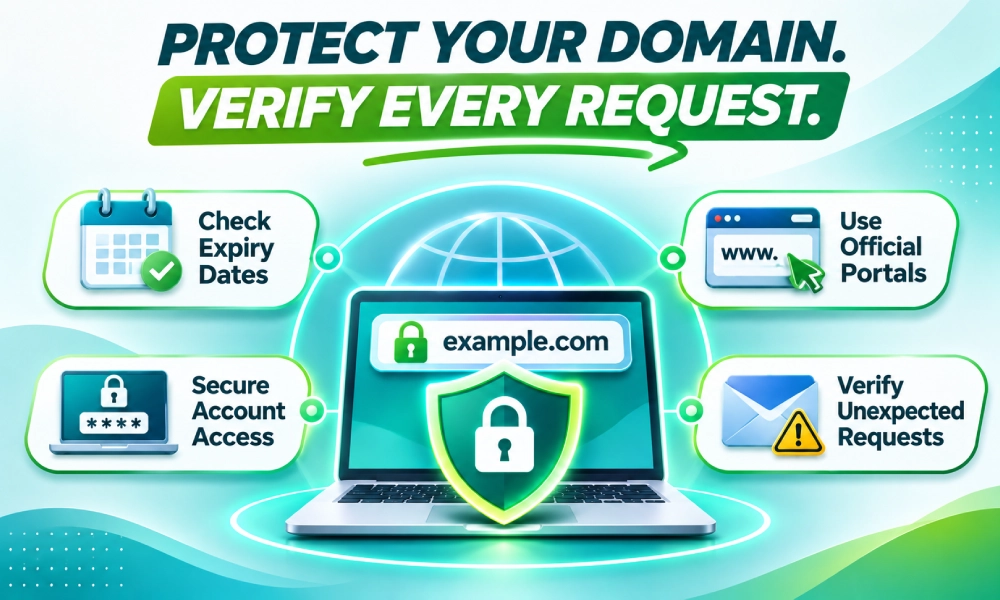
Keep Track of Your Domain Expiry Dates
Maintain an accurate record of the domains you manage and their renewal dates.
For businesses with multiple domains, a centralised domain inventory can help identify upcoming renewals and reduce reliance on unexpected reminders.
Use Your Official Domain Management Portal
Whenever possible, check renewal status, invoices, and account settings through your existing registrar or reseller.
This helps establish a reliable reference point for domain-related communications.
Keep Contact Information Updated
Ensure your account’s contact details are accurate so you can receive legitimate notifications from your service provider.
Strengthen Account Security
Use strong, unique passwords and enable multi-factor authentication where supported.
Restrict access to domain management accounts to authorised personnel.
Review Domain Transfer Protection
Check whether your domain supports registrar lock or other transfer protection features.
These controls can help reduce the risk of unauthorised transfers, although their availability and operation depend on the domain extension and provider.
Educate Employees Who Handle Payments
A renewal scam may reach someone in the finance or administration team rather than the person responsible for managing the domain.
Establish an internal process requiring domain-related invoices and transfer requests to be verified with the appropriate account administrator.
Business takeaway: A clear domain management process helps businesses distinguish legitimate renewal requirements from suspicious requests.
5. What Should WebNIC Resellers Tell Their Customers?
Domain resellers play an important role in helping customers recognise fraudulent renewal notices.
Customers may not always understand the difference between a domain registrar, reseller, registry, or unrelated third-party service provider.
This creates an opportunity for resellers to provide clear guidance and build stronger customer relationships.
Communicate Through Recognisable Channels
Make it easy for customers to identify your official website, support contacts, and customer portal.
Explain where legitimate renewal information can be checked.
Explain the Difference Between Renewal and Transfer
Customers should understand that renewing an existing domain and transferring it to another registrar are different actions.
An unexpected transfer request should not be mistaken for a mandatory renewal procedure.
Encourage Independent Verification
Remind customers not to make payments or disclose credentials based solely on an unsolicited message.
Encourage them to contact your team using previously established support channels.
Provide a Simple Reporting Process
Let customers know how they can forward suspicious notices for verification.
When reviewing a report, avoid asking customers to disclose passwords, verification codes, or transfer authorisation codes.
Share Regular Domain Security Education
Resellers can reinforce customer awareness through newsletters, website notices, onboarding materials, and social media updates.
A short reminder can help customers recognise warning signs before they encounter a suspicious request.
Reseller takeaway: Clear communication about renewal procedures helps customers manage their domains with greater confidence.
6. What If You've Already Paid or Shared Sensitive Information?
If you suspect that you have responded to a fraudulent renewal notice, take action promptly.
The appropriate response depends on what information you shared and whether a payment or transfer was initiated.
If You Made a Payment
Contact your bank, card issuer, or payment provider immediately.
Explain that you may have paid a fraudulent invoice and ask about available dispute or recovery options.
Keep copies of the notice, transaction details, and related correspondence.
If You Shared Your Account Password
Access your legitimate domain management account directly and change the password.
If you reused the password elsewhere, change it on those accounts as well.
Enable multi-factor authentication where available and review your account for unfamiliar activity.
If You Shared an EPP/Auth Code
Contact your existing registrar or reseller immediately.
Ask them to check whether a transfer request has been initiated and what protective or cancellation steps may still be available.
Transfer procedures and available remedies depend on the domain extension, registrar, and transfer status.
If Your Domain Has Already Been Transferred
Contact your previous registrar promptly and provide the available evidence.
Ask about the applicable transfer dispute or recovery procedures.
Recovery is not guaranteed, so early reporting is important.
7. Frequently Asked Questions
Check the notice against your existing domain management account. Verify the sender, expiry date, renewal status, invoice details, and payment instructions. If anything is unclear, contact your existing registrar or reseller through official channels.
Yes. Certain domain registration details may be available through public registration data services or other sources. Accurate domain information in a message does not prove the sender is legitimate.
No. Legitimate providers may send urgent reminders when a domain is approaching expiry. The safest approach is to verify the reminder through your existing service provider before taking action.
Generally, no. Domain renewal can normally be handled through your existing registrar or reseller. A transfer to another registrar is a separate action and should be undertaken only when you intend to change providers.
An EPP or Auth Code is an authorisation credential used in the transfer process for many domain extensions. It should be handled securely and provided only when required for a transfer you have intentionally authorised.
Avoid entering further information. If you entered account credentials, change them through the legitimate service provider’s website. If you entered payment details, contact your payment provider. Consider having your device checked if you downloaded or opened suspicious software.
Yes. Misleading domain renewal solicitations can arrive through postal mail as well as email or other channels. A professional-looking printed invoice is not proof that payment is required.
Resellers can clearly identify their official communication channels, explain renewal and transfer procedures, educate customers about warning signs, and provide a reliable process for verifying suspicious notices.
Conclusion: Verify Before You Pay
Fake domain renewal notices can be convincing, particularly when they contain accurate domain information and appear to require urgent action.
But an unexpected notice should never be the only basis for a payment or domain transfer decision.
Before taking action, verify the sender, check your domain status through your official management portal, and confirm any unfamiliar requests with your existing service provider.
For domain resellers, helping customers recognise suspicious notices is an important part of responsible customer communication.
When in doubt, verify before you pay.
Stay alert, protect your domain credentials, and contact your trusted domain service provider if a renewal notice appears suspicious.
WebNIC encourages domain resellers and customers to remain vigilant and verify unexpected domain-related requests through their established service channels.